

- Retrait en 2 heures
- Assortiment impressionnant
- Paiement sécurisé
- Toujours un magasin près de chez vous
- Retrait en 2 heures
- Assortiment impressionnant
- Paiement sécurisé
- Toujours un magasin près de chez vous



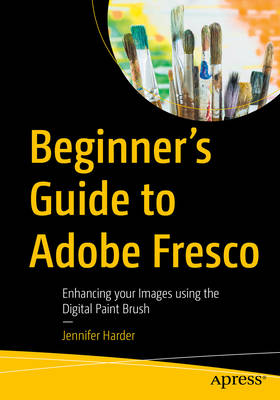
Beginner's Guide to Adobe Fresco
Enhancing Your Images Using the Digital Paint Brush
Jennifer Harder
Livre broché | Anglais
83,45 €
+ 166 points
Description
Explore your creative side using a combination of vector and raster (pixilated) layers and brushes with Adobe Fresco to create your digital painting effects, enhance your designs, or create a simple GIF animation. Fresco is a unique drawing application added to the Adobe Creative Cloud suite in 2019. If you are not familiar with Fresco, you may want to know what its practical applications are for your next design project. This book will explore how Fresco can be used as a stand-alone creative application using its various tools and panels. However, we will also look at how to import your current artwork created with other Adobe Applications like Photoshop into Fresco to enhance the design. Later we will look at Fresco's basic animation options as well. Finally, we will look at Export options so that you can use the final files for projects and share them with other Adobe applications outside of the Creative Cloud desktop file folder. You will discover that Fresco is a great application to add to your "tool belt" of knowledge when your clients ask that additional artistic brush effects be applied to a project. You will also see the various similarities between it, Photoshop, and Illustrator. You Will
- Master use of Tools and Panels to enhance your artwork in a new document Discover the many brush options available within Fresco Find out how to import artwork into Fresco to edit Learn to create a GIF animation within the Fresco application Grasp how to export your completed artwork for other Adobe applications
Spécifications
Parties prenantes
- Auteur(s) :
- Editeur:
Contenu
- Nombre de pages :
- 698
- Langue:
- Anglais
Caractéristiques
- EAN:
- 9798868815560
- Date de parution :
- 02-08-25
- Format:
- Livre broché
- Format numérique:
- Trade paperback (VS)
- Dimensions :
- 178 mm x 254 mm
- Poids :
- 1220 g


Seulement chez Librairie Club
+ 166 points sur votre carte client de Librairie Club
Cadeau


Les avis
Nous publions uniquement les avis qui respectent les conditions requises. Consultez nos conditions pour les avis.